mpl_toolkits.axes_grid1.axes_divider.Divider#

class mpl_toolkits.axes_grid1.axes_divider.Divider(fig, pos, horizontal, vertical, aspect=None, anchor='C')[source]#

基类: object

一个 Axes 定位类。

该分隔器使用水平和垂直尺寸列表(mpl_toolkits.axes_grid1.axes_size)进行初始化,据此划分给定的矩形区域。

new_locator 方法随后会创建一个可调用对象,该对象可用作轴的 axes_locator

参数:
figFigure
pos4 个浮点数的元组

将被划分的矩形位置。

horizontalaxes_size 列表

水平划分的尺寸。

verticalaxes_size 列表

垂直划分的尺寸。

aspectbool, 可选

是否缩小整个矩形区域,使得水平和垂直刻度的相对部分具有相同的比例。

anchor(float, float) or {'C', 'SW', 'S', 'SE', 'E', 'NE', 'N', 'NW', 'W'}, 默认值: 'C'

aspect 为 True 时,缩小矩形的位置。

add_auto_adjustable_area(use_axes, pad=0.1, adjust_dirs=None)[source]#

use_axes 周围添加自动可调间距,以便在布局过程中考虑其装饰(标题、标签、刻度、刻度标签)。

参数:
use_axesAxesAxes 列表

考虑其装饰的轴。

padfloat, 默认: 0.1

以英寸为单位的额外间距。

adjust_dirs{"left", "right", "bottom", "top"} 列表, 可选

添加间距的侧面;默认为全部四个侧面。

append_size(position, size)[source]#
get_anchor()[source]#

返回锚点。

get_aspect()[source]#

返回纵横比。

get_horizontal()[source]#

返回水平尺寸。

get_horizontal_sizes(renderer)[source]#
get_locator()[source]#
get_position()[source]#

返回矩形的位置。

get_position_runtime(ax, renderer)[source]#
get_subplotspec()[source]#
get_vertical()[source]#

返回垂直尺寸。

get_vertical_sizes(renderer)[source]#
new_locator(nx, ny, nx1=None, ny1=None)[source]#

为指定单元格返回一个轴定位器可调用对象。

参数:
nx, nx1int

指定单元格列位置的整数。当 nx1 为 None 时,指定单个第 nx 列。否则,指定跨越 nxnx1(但不包括第 nx1 列)的列位置。

ny, ny1int

nxnx1 相同,但用于行位置。

set_anchor(anchor)[source]#
参数:
anchor(float, float) 或 {'C', 'SW', 'S', 'SE', 'E', 'NE', 'N', 'NW', 'W'}

x, y)相对坐标对(0 为左或底,1 为右或顶),'C'(中心),或基准方向('SW' 为西南,即左下,依此类推)。

另请参阅

Axes.set_anchor
set_aspect(aspect=False)[source]#
参数:
aspectbool
set_horizontal(h)[source]#
参数:
haxes_size 列表

用于水平划分的尺寸

set_locator(_locator)[source]#
set_position(pos)[source]#

设置矩形的位置。

参数:
pos4 个浮点数的元组

将被划分的矩形位置

set_vertical(v)[source]#
参数:
vaxes_size 列表

用于垂直划分的尺寸

使用 mpl_toolkits.axes_grid1.axes_divider.Divider 的示例#

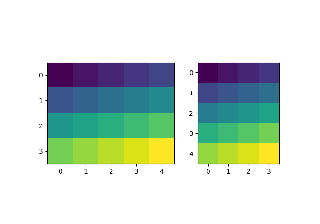
HBoxDivider 和 VBoxDivider 演示

HBoxDivider 和 VBoxDivider 演示

具有固定物理大小的坐标轴

具有固定物理大小的坐标轴

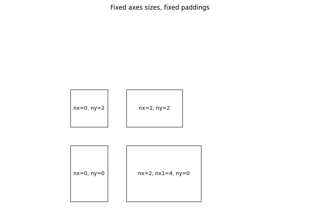
简单坐标轴分隔器 1

简单坐标轴分隔器 1

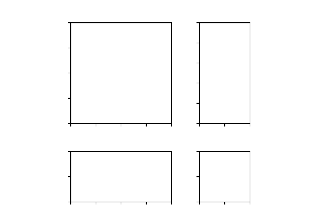
简单坐标轴分隔器 3

简单坐标轴分隔器 3